Hardware wallet setup guide: secure your crypto safely
A hardware wallet is a physical device that stores the private keys controlling your cryptocurrency offline, away from internet-connected systems where most theft occurs. Setting one up correctly is not optional polish. One improperly recorded seed phrase, one skipped verification step, or one device purchased from an unofficial source can result in permanent, unrecoverable loss. This hardware wallet setup guide covers every stage in sequence: what to prepare before you start, how to initialize the device, how to protect the seed phrase, and the habits that keep the configuration secure over time. No technical background is assumed.
What is a hardware wallet and why does setup matter?
A hardware wallet is a dedicated physical device that generates and stores private keys in an isolated, offline environment, preventing them from touching an internet-connected computer. Transactions are signed inside the device; only the signed result reaches the network. This isolation is the core security property. Setup matters because that property holds only when every initialization step is completed correctly.
Most modern hardware wallets use a certified secure element chip, a tamper-resistant microprocessor in the same category as those embedded in passports and chip-and-PIN bank cards. This chip stores key material in a hardened environment, separated from the device’s main processor. The isolation it provides is qualitatively different from any software wallet running on a shared operating system.
A software wallet stores keys in a file accessible to any process on the host computer. A hardware wallet stores keys on dedicated silicon that never exposes them to that machine. The gap between these two models is wide, and setup is precisely where it is maintained or compromised.
What you need before starting a hardware wallet setup
Gather everything before beginning so the initialization runs without interruptions. Certain steps, particularly seed phrase generation, require full attention and cannot be safely resumed if something disrupts the flow. Allow 30 to 60 minutes of uninterrupted private time, a reliable internet connection, and at least two sheets of paper with a quality pen before starting.
Items to prepare:
- The hardware wallet, purchased directly from the manufacturer’s official website
- A computer or compatible smartphone for the companion application
- A pen with permanent ink, not a pencil, which fades over time
- A private, undistracted space where setup can be completed without observation
One non-negotiable rule: purchase only from the manufacturer’s official store. Third-party sellers, even well-known marketplaces, introduce supply-chain risk. A device intercepted or pre-configured before delivery can compromise funds silently from the first transaction.
Inspect the device on arrival. If the tamper-evident seal is broken, the packaging shows signs of prior opening, or a pre-written seed phrase is included in the box, return it immediately. No legitimate hardware wallet ships with a pre-generated seed phrase. That is a definitive sign of tampering.
How to set up a hardware wallet: complete process
Setting up a hardware wallet follows a consistent sequence across major devices, though button presses and menu labels vary by model. Work through these steps in order, using your device’s official documentation for model-specific navigation. This section covers the general process applicable across the most widely used hardware wallets.
Verify the device and install the companion software
Before connecting the device, inspect the packaging and hardware for signs of tampering. Once satisfied, connect the device to your computer using the provided cable.
Download the companion application directly from the manufacturer’s website, navigating there manually rather than following search results or third-party links. Ledger’s application is Ledger Live; Trezor’s is Trezor Suite. These applications communicate with the device and broadcast signed transactions but do not store private keys.
Check for firmware updates at first connection. Devices often arrive on older firmware after sitting in inventory. The companion software will flag pending updates; apply them before proceeding with initialization.
Initialize the device and create a PIN
On first power-up, the device presents two options: create a new wallet or restore an existing one. Select the new wallet option.
Create a PIN using the device’s own screen and buttons, not on the computer. Choose a number you can memorize without writing it down; avoid sequential digits (1234) or repeated digits (1111). Most hardware wallets support 4-to-8 digit PINs.
The PIN protects physical access. Someone who obtains the device without the PIN cannot extract keys or authorize transactions. Incorrect PIN attempts trigger escalating lockouts or a full device wipe, depending on the manufacturer’s design.
Generate and record the seed phrase
This is the most critical step in any hardware wallet setup process. After PIN creation, the device generates a recovery seed phrase: a sequence of 12 or 24 words from the 2,048-word BIP-39 standard wordlist. This phrase is the master key to every account associated with the wallet; whoever holds it controls the funds.
Write every word in numbered order, exactly as displayed on the device screen. Check each word against the display before advancing. When the phrase is fully recorded, the device prompts you to verify it by selecting words in a specific sequence. Complete that step before continuing.
Do not photograph the screen. Do not type the words into any application. This is the point of maximum vulnerability in the process, and where most serious losses trace their origin.
Complete a test transaction
Before transferring any significant amount, send a small test: receive a minor amount, then practice sending it back out. This confirms the device works, the software connection is active, and the signing flow functions as expected.
When verifying the receiving address, check it on the device screen, not only in the companion software. Malware can substitute a different address in a software display without altering what the device shows. If both screens match, the setup is operating correctly.
How to store your seed phrase securely
Secure seed phrase storage addresses physical threats as much as digital ones. Fire, flooding, physical decay, and theft are as real a risk as hacking. A phrase written on paper and left in one location fails multiple threat scenarios simultaneously. A proper storage approach builds in redundancy, durability, and access restriction from the start.
Paper storage: the baseline
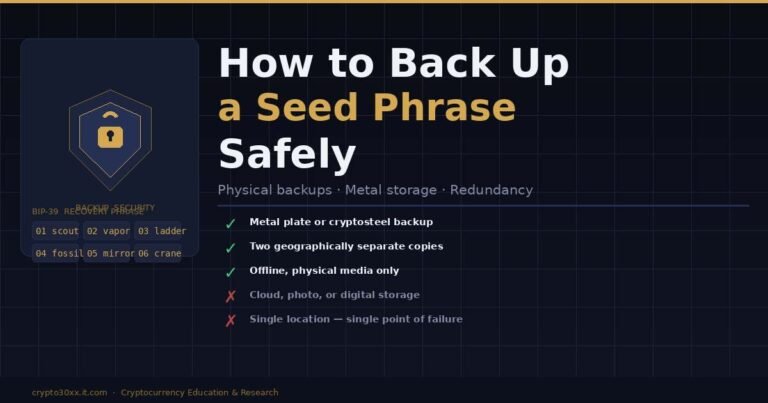
Write the seed phrase on quality paper in clear, permanent handwriting. Store it in a sealed, waterproof container in a private location inaccessible to visitors. Maintain at least two copies in separate physical locations.
Paper is the minimum acceptable standard. Its main weaknesses are physical degradation over time and vulnerability to single-point loss events such as fire or flooding.
Metal backup: higher durability
Metal seed phrase backup products, including stamped steel plates and engravable titanium panels, survive fire temperatures, flooding, and mechanical wear that would destroy paper. For users holding meaningful amounts on hardware devices, a metal backup is a material upgrade over paper alone.
The backup must be stored as securely as the original. A metal plate in an accessible or shared location provides no real improvement.
What to avoid with a seed phrase
- Storing it in a password manager, cloud note, or any digital document
- Photographing it with any device, including a smartphone
- Sending it via email, SMS, or any messaging application
- Typing it into any website, browser extension, or application except a hardware device during legitimate recovery
- Sharing it with anyone, including anyone claiming to represent technical support
No legitimate hardware wallet manufacturer will ever request a seed phrase. Any such request is a scam.
Hardware wallet comparison
Different devices suit different priorities, from multi-asset support to Bitcoin-only air-gapped operation. The table below compares major hardware wallets across criteria relevant to first-time buyers and ongoing use. Prices are approximate tiers; consult manufacturer websites for current figures before purchasing.
| Device | Input method | Bluetooth | Fully open-source | Supported assets | Price tier |
|---|---|---|---|---|---|
| Ledger Nano S Plus | Buttons | No | Partial | 5,500+ | $$ |
| Ledger Nano X | Buttons | Yes | Partial | 5,500+ | $$ |
| Trezor Model One | Buttons | No | Yes | 1,000+ | $ |
| Trezor Safe 3 | Buttons | No | Yes | 1,000+ | $$ |
| Trezor Model T | Touchscreen | No | Yes | 1,000+ | $$$ |
| Coldcard Mk4 | Keypad | No | Yes | Bitcoin only | $$$ |
| Foundation Passport | Buttons | No | Yes | Bitcoin only | $$$$ |
| Keystone 3 Pro | Touchscreen | No | Yes | 5,500+ | $$$ |
*$ = under 80 / $ = 80–$150 / $ $ = 150–$250 / $ $$ = above $250. Verify current pricing with manufacturers.*
“Fully open-source” means the complete firmware stack is publicly auditable and reproducible. Partially open-source devices keep secure element firmware closed, which limits independent audit depth. Bitcoin-only devices such as the Coldcard and Passport run a reduced software attack surface by design, a deliberate architectural choice rather than a constraint.
Common setup mistakes to avoid
Most hardware wallet security failures trace back to a small set of repeatable errors made during setup or shortly after, not sophisticated external attacks. Recognizing these errors before initialization is more effective than diagnosing them after funds have been compromised.
Purchasing from unofficial sources
A device sourced from an unauthorized reseller may have been pre-seeded with a phrase known to the seller, or fitted with a compromised random number generator. Both scenarios give an attacker access to every deposit made after purchase. Only official manufacturer stores can be trusted.
Photographing or digitally storing the seed phrase
A seed phrase photo stored in cloud-synced photo storage negates the hardware security model entirely. Cloud services are connected and accessible under account compromise. Any digital storage of the seed phrase, regardless of platform, converts offline security into online vulnerability.
Skipping the test transaction
Sending a significant amount before testing a small one is one of the most common sources of permanent loss. Typos in addresses, software configuration errors, and firmware incompatibilities are all detectable through a small test transaction. Running the test first is the simplest risk-reduction step available.
Conflating device security with seed phrase security
A stolen device without the PIN and without seed phrase access is not a significant breach. A seed phrase found in a drawer, without the device, provides complete access to all funds from any compatible hardware wallet. The seed phrase is the actual target. The device is an interface.
Ongoing security practices after setup
Setup marks the start of a security model, not its completion. The hardware wallet’s protection depends on practices maintained consistently over time, including firmware discipline, address verification habits, and an understanding of optional features that add protection in specific threat scenarios.
Update firmware regularly
Manufacturers release firmware updates to patch known vulnerabilities. Check for updates through the official companion software at regular intervals and apply them before major transactions. A device running outdated firmware may be exposed to published security weaknesses.
Verify every address on the device screen
Before receiving funds, generate the receiving address on the device and confirm it matches the companion software display. Before sending, confirm the destination address on the device screen before approving. The device screen shows the true address; the computer screen can be altered by software running on that machine.
Consider the passphrase feature
Most hardware wallets support an optional passphrase, sometimes called a 25th word. Combined with the standard seed phrase, it generates a separate set of accounts. An attacker who finds the seed phrase without the passphrase cannot access the passphrase-protected accounts.
The tradeoff is absolute: lose the passphrase with no backup, and those accounts are permanently inaccessible. There is no recovery path. Understand this fully before enabling the feature.
Store the device in a consistent location
The hardware device is not the primary security target, but keeping it in a private, consistent location prevents opportunistic discovery and physical damage. The seed phrase requires stricter storage discipline. The device requires basic physical care.
FAQs
Can I set up a hardware wallet without a computer? Some hardware wallets support mobile-only setup flows through official iOS or Android applications. Most still require a desktop connection for firmware updates at some stage. Check your device’s documentation before assuming a phone-only workflow is complete and fully updated before use.
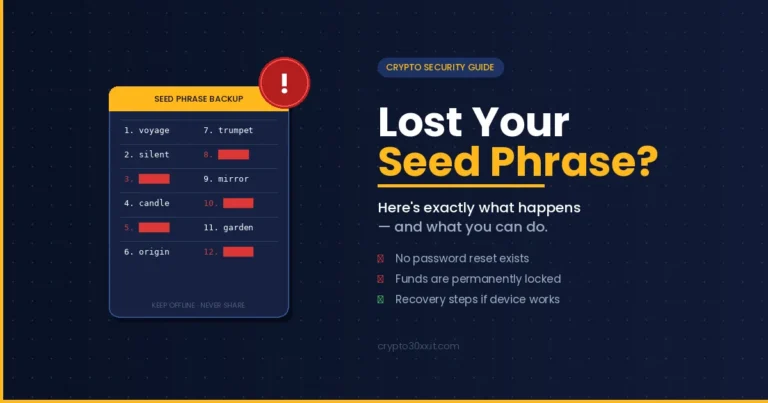
What happens if my hardware wallet is lost or damaged? Loss of the device alone is fully recoverable. Enter the seed phrase into any compatible hardware wallet and all accounts restore. If the seed phrase is also lost, the funds are permanently inaccessible. If someone obtains both the device and the correct PIN, the funds stored on that device are at risk.
Is it safe to type my seed phrase into a computer during recovery? No. Seed phrase entry during recovery should happen on the hardware device itself, using its own input interface. Typing a seed phrase into software on a general-purpose computer exposes it to every process running on that machine at that moment. Legitimate recovery flows do not require a keyboard.
Should I choose a 12-word or 24-word seed phrase? Both are based on the BIP-39 standard. A 12-word phrase provides approximately 128 bits of entropy; a 24-word phrase provides approximately 256 bits. Both are cryptographically sufficient under current standards. Practical security depends far more on how the phrase is stored than on which length is selected.
Can one hardware wallet hold multiple cryptocurrencies? Yes. Most hardware wallets derive separate accounts for different coin types from the same seed phrase, using standardized derivation paths defined in the BIP-44 specification. Bitcoin, Ethereum, and other supported assets each occupy isolated account structures within the same device and seed.
What is the difference between a PIN and a seed phrase? The PIN controls physical access to the device; repeated incorrect entries lock or wipe it. The seed phrase is the cryptographic master key: it restores all accounts on any compatible hardware wallet regardless of what happened to the original device. Losing the PIN while the device works is an inconvenience. Losing the seed phrase when the device is gone is permanent.
Does a brand-new hardware wallet need a firmware update? Almost always. Devices sit in inventory between manufacture and sale, often arriving several firmware versions behind. The companion software will flag available updates at first connection. Complete the update before or immediately after initialization, following the recommended sequence for your specific device model.
Disclaimer
This article is published for educational purposes by an independent cryptocurrency research and analysis blog. Nothing in this guide constitutes financial, investment, legal, or security advice tailored to individual circumstances. Cryptocurrency involves significant risk, including the possibility of total and permanent loss of funds. Verify all setup procedures against the official documentation provided by your specific device manufacturer before proceeding.
The hardware wallet setup process is well-defined but unforgiving. Every stage, from the purchase channel to the seed phrase storage method to the test transaction, directly determines whether the security model holds in practice. Work through each step methodically, verify at each checkpoint, and treat the seed phrase as the irreplaceable access credential it is. The device is one component. The practices surrounding it complete the model.
Find your footing again through our grounded teachings that meet you exactly where you are today.